Creating valuable content takes time, but turning recorded conversations into useful written material can be equally demanding. Whether you are editing a YouTube video, documenting an interview, producing a podcast or preparing meeting notes, manually transcribing spoken words can require hours of repetitive work.
For businesses, educators, journalists and content creators, accurate transcription and subtitles are essential for communication, accessibility and content distribution.
HappyScribe is an AI-powered transcription, subtitling and translation platform that helps users convert audio and video recordings into editable text.
The platform combines automated speech recognition with optional professional human proofreading, offering different solutions depending on accuracy requirements and project complexity.
It also provides AI meeting notes, multilingual translation, subtitle editing and collaboration features.
With support for more than 150 languages across its services, the platform is designed for individuals and organisations working with international audiences.
From short social media videos to lengthy business meetings, HappyScribe helps simplify the process of transforming spoken content into accessible and reusable information.
From Spoken Words to Searchable Text: How AI Transcription Works
Audio transcription converts spoken language into written text, allowing users to review, edit and share information without repeatedly listening to recordings.
Traditionally, transcription involved manually typing conversations while playing audio files.
This process could become particularly time-consuming when working with lengthy interviews, lectures or meetings.
HappyScribe uses automatic speech recognition technology to generate transcripts from uploaded audio and video files.
Users can upload recordings, select the appropriate language when necessary and generate editable transcripts.
The platform also supports automatic language detection, helping simplify the process for recordings in different languages.
Once transcription is complete, users can review the text and correct any mistakes using the built-in editor.
Speaker identification is another useful feature.
For recordings involving multiple participants, the platform can distinguish speakers and help organise the conversation.
This is particularly valuable for interviews, panel discussions and team meetings.
The platform also offers glossary features that help maintain consistent spelling for company names, technical terminology and frequently used expressions.
However, AI transcription accuracy depends on factors such as recording quality, background noise, accents and overlapping speech.
Clear audio generally produces better results than recordings with significant interference.
For professional documents, reviewing the generated transcript remains an important step before publication or distribution.
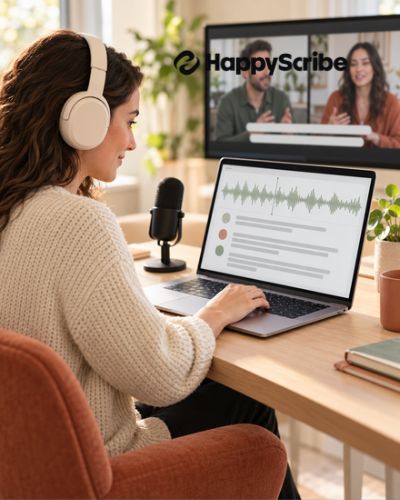
Give Every Video a Voice with Professional Subtitles
Video content is widely used for education, entertainment, marketing and business communication.
However, viewers do not always watch videos with sound enabled.
Subtitles make spoken content easier to follow and can improve accessibility for people who are deaf or hard of hearing.
HappyScribe offers automatic subtitle generation for videos in numerous languages.
The platform converts spoken dialogue into timed captions that can be displayed alongside video content.
Users can then review the generated subtitles, adjust timing and correct transcription errors.
Its subtitle editor provides options for modifying the appearance and presentation of captions.
Depending on the project, users can customise subtitle formatting to align with their content or brand identity.
For example, a marketing team preparing product demonstration videos may prefer a consistent subtitle style across multiple campaigns.
An educator producing online lessons may prioritise readable captions that clearly communicate technical explanations.
The platform also supports subtitle formats such as SRT and VTT, which are commonly used by video hosting services and editing software.
Users can export subtitle files for use on compatible platforms.
Subtitles are particularly valuable for international content distribution, where audiences may have different language preferences.
Accurate captions can also help viewers understand unfamiliar terminology and follow conversations more easily.
For accessibility-sensitive projects, professional review and appropriate captioning standards remain important.
Reach International Audiences Without Recreating Your Content
Businesses and content creators increasingly communicate with audiences across different countries.
Language differences can limit the reach of otherwise valuable content, particularly when videos, training materials or interviews are available in only one language.
HappyScribe offers translation tools for transcripts and subtitles, allowing users to adapt existing content for multilingual audiences.
Its language coverage includes English, Spanish, French, German, Italian, Portuguese, Arabic and many other languages.
The platform supports automated translation as well as professional language services.
For example, a company producing an English-language training video may generate subtitles in Spanish or French for employees in other regions.
A content creator could translate educational videos to reach viewers who prefer different languages.
The platform’s dual-view translation editor allows users to compare original and translated text side by side.
This can help identify missing information, terminology inconsistencies and phrases requiring adjustment.
However, translation involves more than replacing individual words.
Cultural references, humour, technical terminology and regional expressions may require additional attention.
For projects requiring cultural adaptation, professional language review can help make translated content more natural for its intended audience.
It is also important to review the original transcript before translation.
Errors in the source text may carry over into translated versions.
A reliable multilingual workflow begins with accurate transcription, followed by translation and appropriate quality checks.
Make Meetings More Productive with AI Notes and Action Items
Meetings are essential for collaboration, but important decisions can easily become buried in lengthy conversations.
Taking detailed notes while actively participating can also be difficult.
HappyScribe provides an AI Notetaker designed to capture meeting discussions and transform them into organised written information.
The service supports meetings conducted through Zoom, Google Meet and Microsoft Teams.
It can generate transcripts, summaries and action items from recorded conversations.
This makes it useful for project discussions, client consultations, internal planning sessions and interviews.
For example, a marketing team conducting a campaign review may need to document deadlines, assigned responsibilities and proposed changes.
Instead of relying entirely on handwritten notes, team members can review the transcript and AI-generated summary after the meeting.
The platform also provides features for asking questions about meeting content.
Users can locate relevant details without manually reading every section of a lengthy transcript.
Speaker identification helps clarify who contributed particular comments or decisions.
The mobile app additionally supports recording in-person conversations, interviews and lectures.
These capabilities can be valuable for professionals who regularly move between online meetings and face-to-face discussions.
However, AI-generated meeting notes should be checked before being treated as an authoritative record.
Automated summaries may omit context or misunderstand ambiguous statements.
Participants should also be informed about recording practices, and organisations should follow applicable consent and privacy requirements.
Create More Content from Every Interview, Podcast and Recording
Producing high-quality content often requires substantial planning, recording and editing.
Yet a single recording can contain enough valuable information for several different formats.
HappyScribe can help content teams repurpose audio and video material into written resources.
For example, a podcast interview can be converted into a transcript that supports the creation of a blog article.
An educational webinar can become written learning material or a reference document.
A recorded product demonstration can provide source material for subtitles, video descriptions and instructional content.
Journalists may use transcripts to locate quotations and review interviews more efficiently.
Researchers can organise recorded discussions and revisit specific statements without replaying entire files.
Marketing teams can extract key messages from customer interviews or internal presentations.
Transcripts can also make spoken content easier to search and reference.
Instead of manually scanning a recording, users can locate particular words, names or topics within the text.
This can reduce time spent searching for important information.
The platform’s export options include formats suitable for documents and subtitle workflows, with availability depending on the selected service or plan.
Before publishing repurposed material, content creators should verify quotations, preserve the original meaning and obtain necessary permissions.
Accurate transcription provides a useful foundation, but editorial judgement remains essential for producing reliable content.
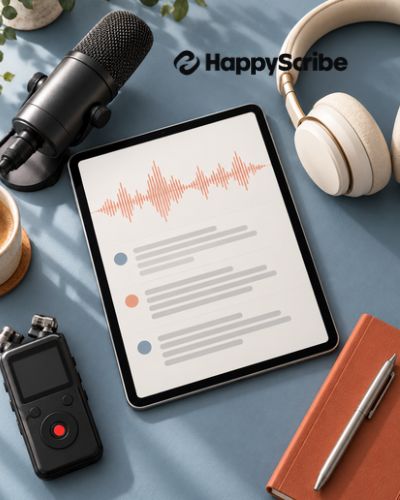
A Practical Workflow for Creators, Educators and Business Teams
Choosing a transcription platform involves considering more than the speed of automatic speech recognition.
Accuracy, language availability, editing tools, collaboration features and data handling are equally important.
HappyScribe combines AI-generated transcripts with optional human transcription and proofreading services.
This hybrid approach allows customers to choose between automated convenience and additional professional review.
The company advertises human-made transcription and subtitling services with accuracy levels of 99% or higher under its service standards.
For automatic transcription, actual accuracy varies according to the recording and language.
The platform also offers collaboration tools that allow colleagues or clients to review and edit content.
Glossaries and style guides can help teams maintain consistency across recurring projects.
Security is another consideration, particularly for businesses handling sensitive discussions.
The company states that it is SOC 2 Type II certified, supports GDPR compliance and provides EU data residency.
Organisations should still review contractual terms and their own privacy requirements before uploading confidential recordings.
The platform offers a free trial, alongside paid options for different usage levels.
Pricing depends on factors such as transcription duration, service type and subscription arrangements.
Professional human services generally cost more than automated processing.
For occasional users, flexible usage options may be preferable, while teams processing recordings regularly may benefit from subscription plans.
A simple workflow begins by uploading a recording or capturing a meeting.
Next, users generate a transcript, review the text, create subtitles or translations if needed, and export the final content.
This approach can support everything from a single interview to ongoing multilingual content production.
For content creators, the main advantage is the ability to spend less time manually transcribing and more time developing valuable material.
For educators, transcripts and captions can make lessons easier to review and access.
For businesses, organised meeting records can support communication, accountability and knowledge sharing.
HappyScribe brings these capabilities together in one workspace, offering a practical solution for managing spoken content.
As audio and video continue to play an important role in digital communication, tools that help convert recordings into searchable, editable and accessible information can become valuable parts of everyday workflows.
Whether you are producing subtitles for YouTube, translating training videos, transcribing interviews or documenting business meetings, the platform provides tools for making recorded content easier to manage and share.